


I want to know the available VAS services.
Click this link to explore our services. (Route to VAS / Entertainment page)

Click this link to explore our services. (Route to VAS / Entertainment page)
a. Kindly dial *550# and navigate to “VAS” option.
b. Login to airtel App & navigate to Entertainment menu >> my services.
c. Chat with us on WhatsApp : https://bit.ly/3k7UsQZ
• Kindly dial *550# and navigate to “VAS” option.
• Login to airtel App & navigate to Entertainment menu >> My services.
a. You connection should be in active status with a data balance to use internet. Dial *550#/ login to app to check your connection status. In case you do not have a data balance, Top up your data with our latest packs. Click here to view the latest 4G data top-up packs.
b. Kindly check whether you are have done the APN settings on your mobile phone.
Profile name: airtellive
APN name: airtelive
c. Ensure that you have select your mobile network mode as 2G/3G/4G/LTE auto Connect mode & restart the device one more time to apply the settings.
a. Dial *780# to ensure that you are using a 4G compatible SIM card.
b. Ensure that you have select your mobile network mode as 2G/3G/4G/LTE auto Connect mode & restart the device one more time to apply the settings.
We commend you to use a 4G/ LTE enabled mobile / device to experience a high speed data experience with airtel.
If you still experience the issue, You may contact us for technical assistance.
Hotline : 1755
Chat with us via WhatsApp : https://bit.ly/3zh3Ppu
Navigate to your internet browser & type “fast.com” & click go / enter. You will be directed to a speed test session on your browser.
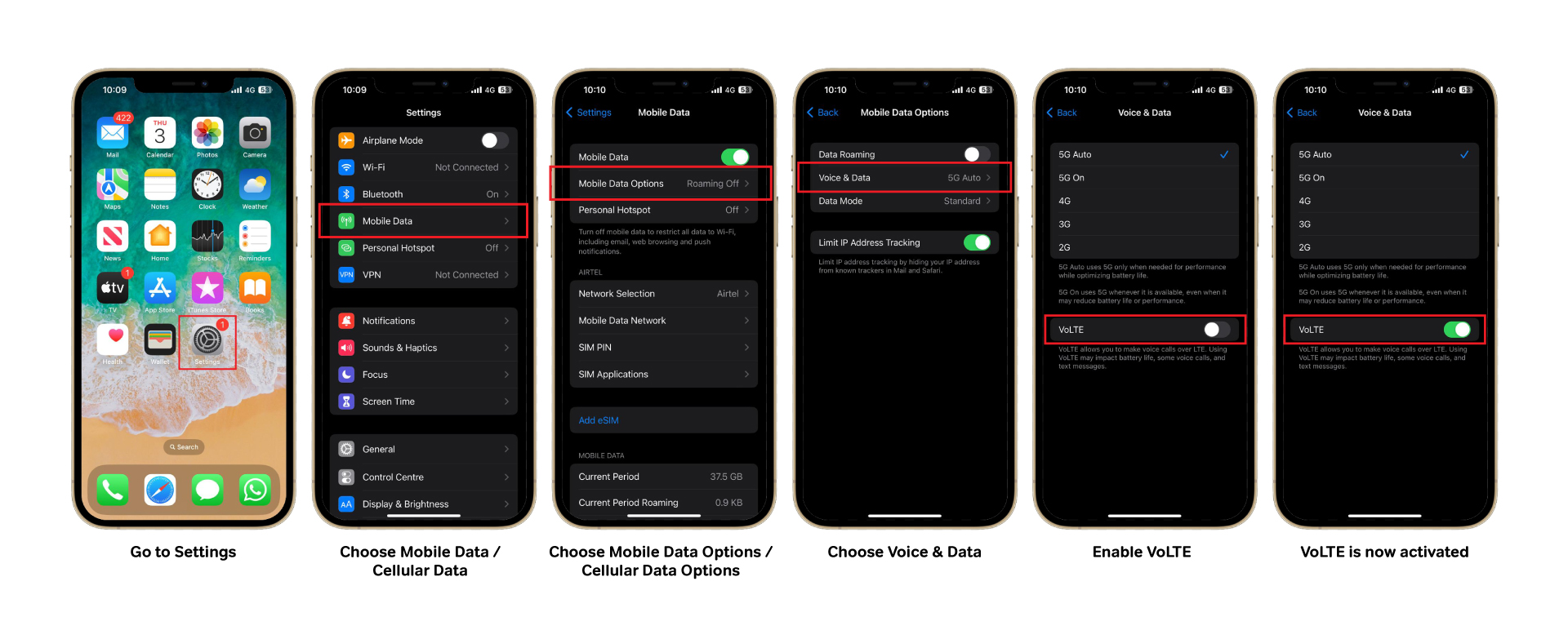
Kindly Dial 55517 from your mobile to receive the GPRS settings.
• Use my airtel app – you can easily see the data balance on the 1st screen/main screen
• Dial *550# from your mobile
If you still experience the issue.
Chat with us on WhatsApp : https://bit.ly/3zh3Ppu
Contact us : 1755


